
< 로컬 이더리움( Ganache )에 배포하기 >
Ganache 설치
Quick start 선택
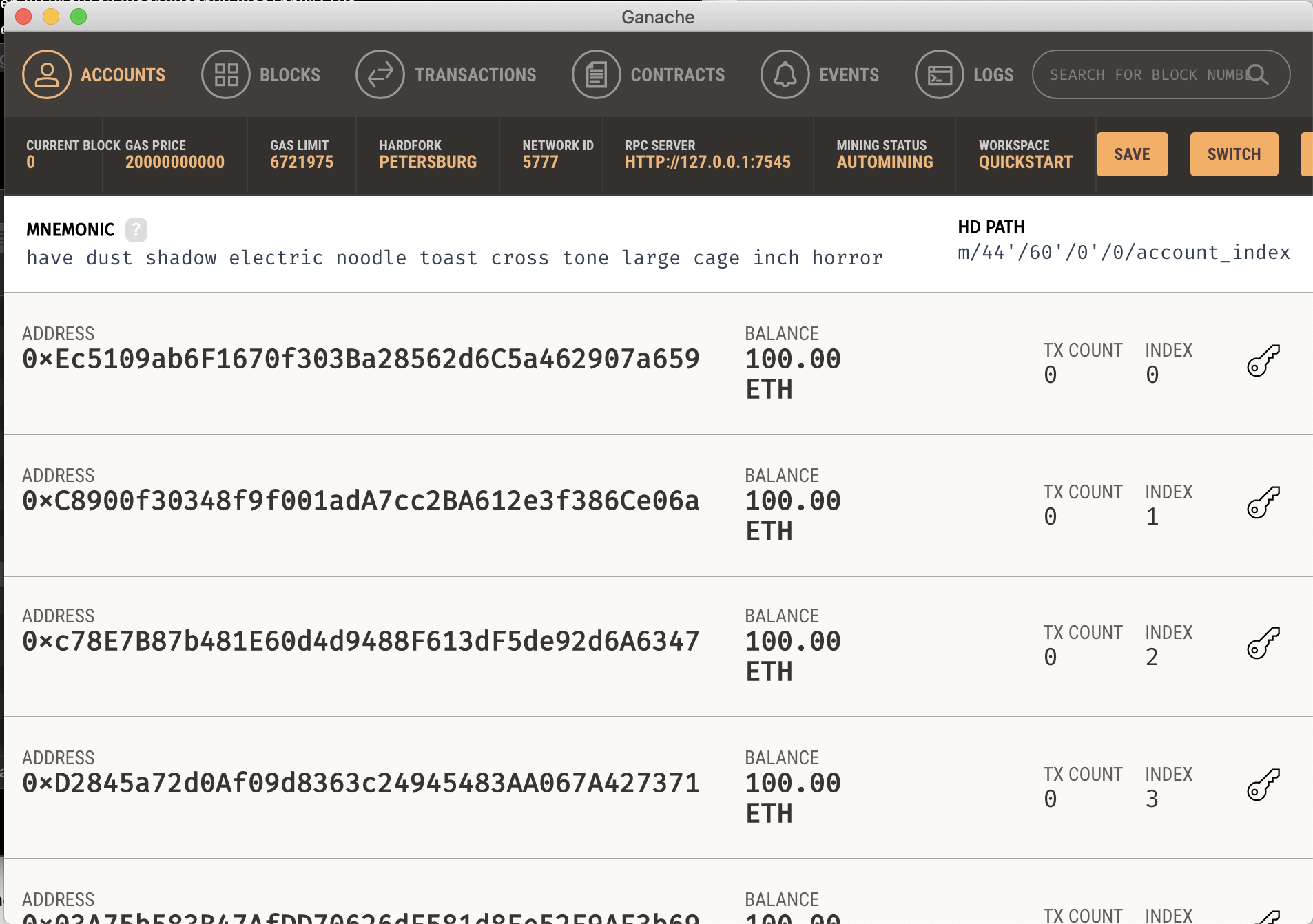
- RPC Server : HTTP://127.0.0.1:7545
- NETWORK ID : 5777
실제운영서버, 테스트넷(Testnet), 매인넷(Mainnet), 로컬(Ganache) 에 컴파일된 SmartContract 배포 가능 이번 실습에서는 로컬 (Ganache)에 배포 예정
배포를 위해서는 migrations 폴더 아래에 JavaScript 코드 작성 필요
배포 Script 작성 ( 파일명 : 2_deploy_hello.js )
const helloworld = artifacts.require("HelloWorld"); // HelloWorld 는 컨트랙트 이름

module.exports = function(deployer){
    deployer.deploy(helloworld,"Hello,World!"); // 생성자에게 "Hello,World!" 파라미터를 넘겨줌 ( 파라미터가 여러개인 경우 콤마 사용 )
};
배포 target 설정 ( truffle-config.js 의 networks 에서 설정 )
-> development 에 Ganache 배포
 development: {
 host: "127.0.0.1",     // Localhost (default: none)
 port: 7545,            // Standard Ethereum port (default: none)
 network_id: "5777",       // Any network (default: none)
 },
- Ganache의 Network Id, Port 번호 참고
배포 명령어 : truffle migrate + 배포 타깃 ( 없을시 development로 자동 배포 )
truffle migrate –reset ( 처음부터 새로 배포 )
- ex - 타겟 설정 ( development ) : truffle migrate –network development
-> development 에 설정된 local Ganache 에 배포 가능- ex - ropsten 테스트넷에 배포 : truffle migrate –network ropsten
-> ropsten 에 설정된 테스트넷에 배포 가능
로컬 Ganache에 배포
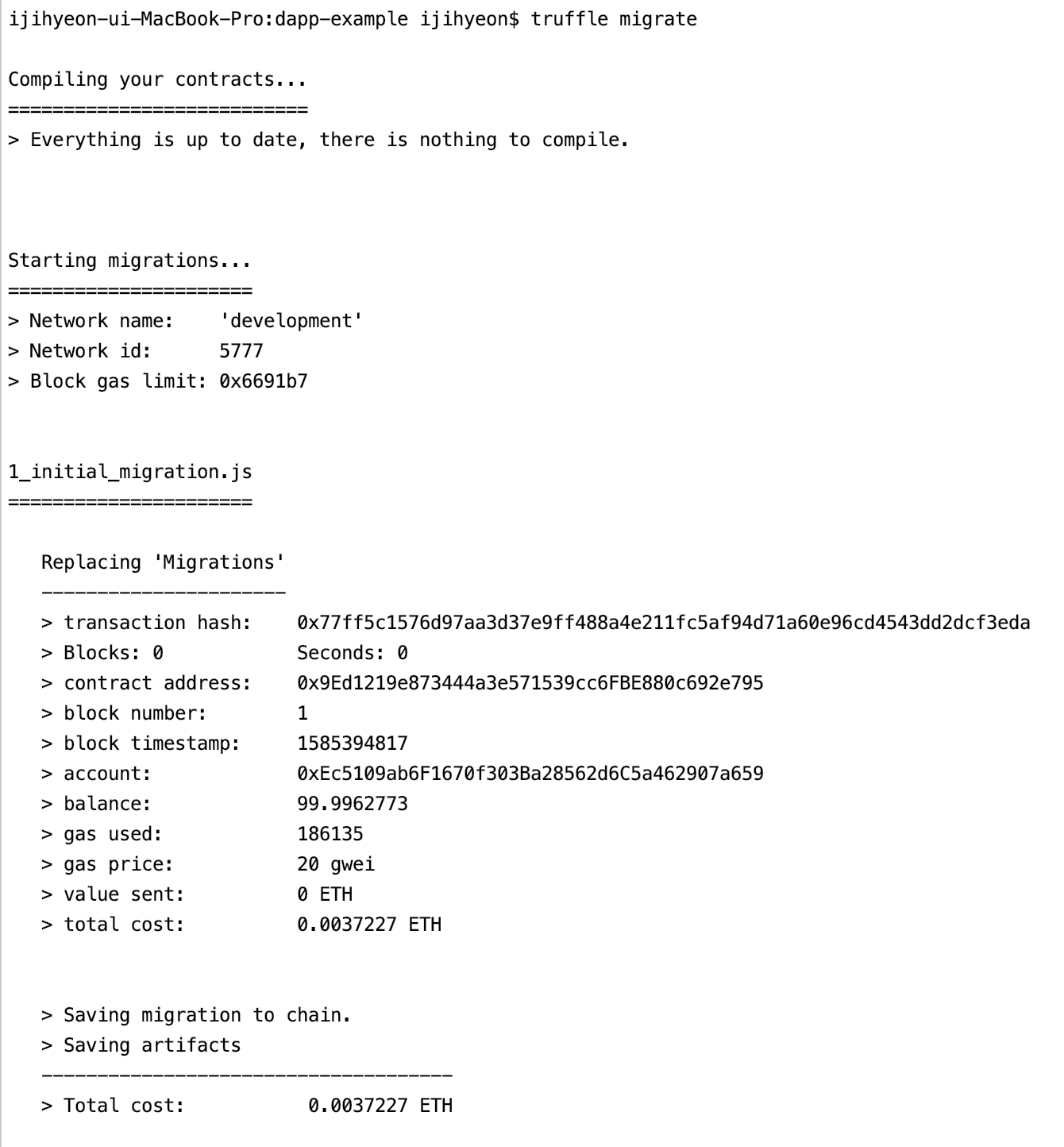
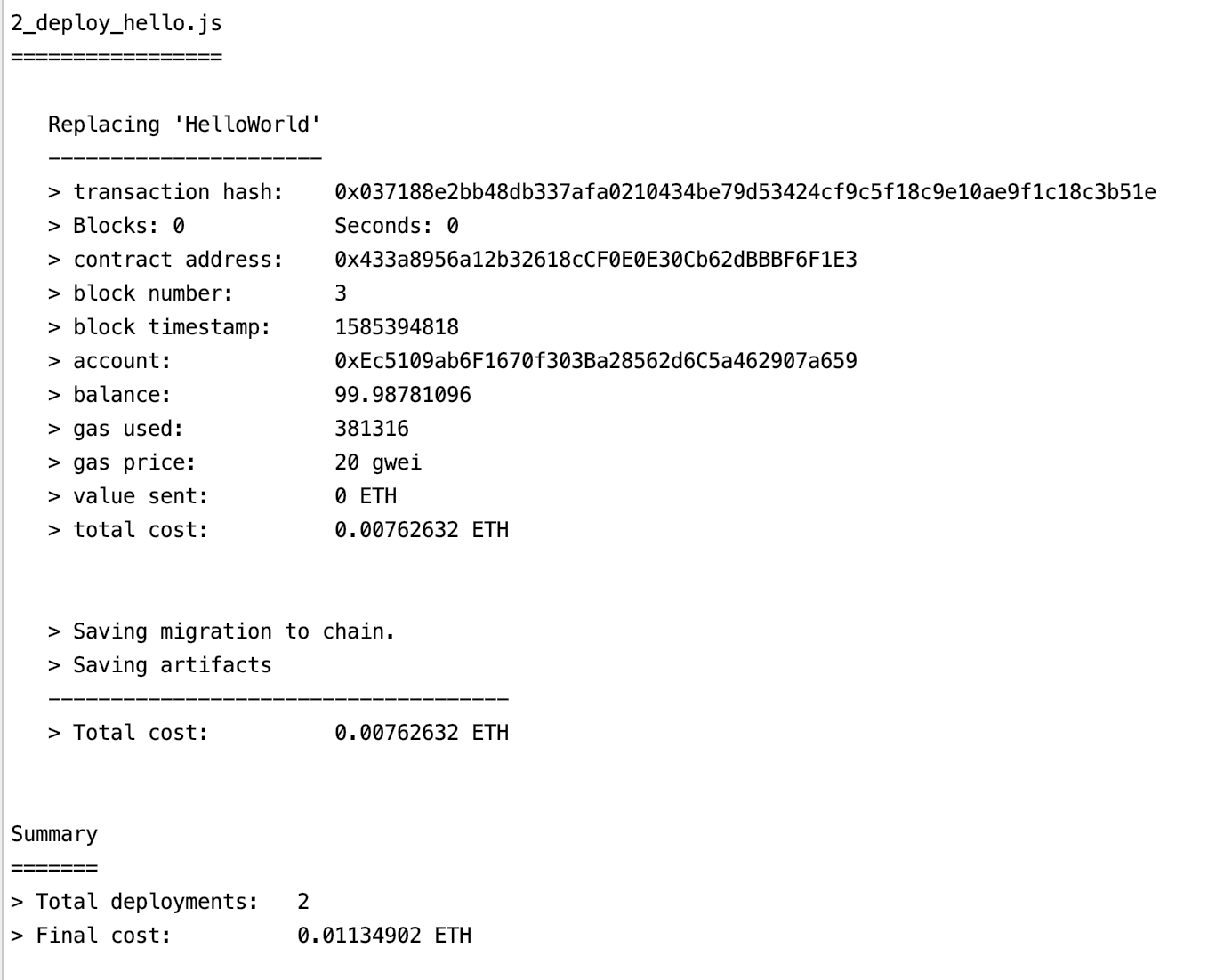
-> 배포 2개 완료 , 컨트랙트 주소( contract address ) 부여 완료
< Rinkeby에 배포하기( truffle-hdwallet-provider ) >
실제 테스트넷에 배포하기 ( ex - 테스트넷 : ropsten / rinkeby )
-> 이번 실습에서는 rinkeby에 배포
공개된 테스트넷을 이용하기 위해서는 외부서비스 사용 필요
-> Infura : 이더리움 네트워크에 접근할 수 있는 인프라 서비스 제공
HDWalletProvider 패키지 설치 ( 배포시 전자서명을 해야하기 때문 )
truffle-config.js 상단의 HDWalletProvider 선언 주석 제거
const HDWalletProvider = require('@truffle/hdwallet-provider');
@truffle/hdwallet-provider 설치( npm install @truffle/hdwallet-provider)

Infura 사이트에서 API key 발급 필요
     rinkeby: {
       provider: () => new HDWalletProvider("0F8368B7339B099A5A2DC0D25A6414CEDD79F5EC13BE3618B4820B1B12AE6FFF",   "https://rinkeby.infura.io/v3/46d357e8ef4242ca8dc45778639636c1"),
       network_id: 4,       // Ropsten's id
//       gas: 5500000,        // Ropsten has a lower block limit than mainnet
//       confirmations: 2,    // # of confs to wait between deployments. (default: 0)
//       timeoutBlocks: 200,  // # of blocks before a deployment times out  (minimum/default: 50)
//       skipDryRun: true     // Skip dry run before migrations? (default: false for public nets )
     },
- provider 와 network_id 를 제외한 나머지는 주석처리를 하여 default 값 사용가능
- private key : 메타마스크의 계정키
- private key를 HDWalletProvider의 key로 넘겨주어야함 : new HDWalletProvider( private key, API key ) 로 설정
- rinkeby의 network_id 는 4
rinkeby 테스트넷에 SmartContract 배포 ( truffle migrate –network rinkeby –reset )
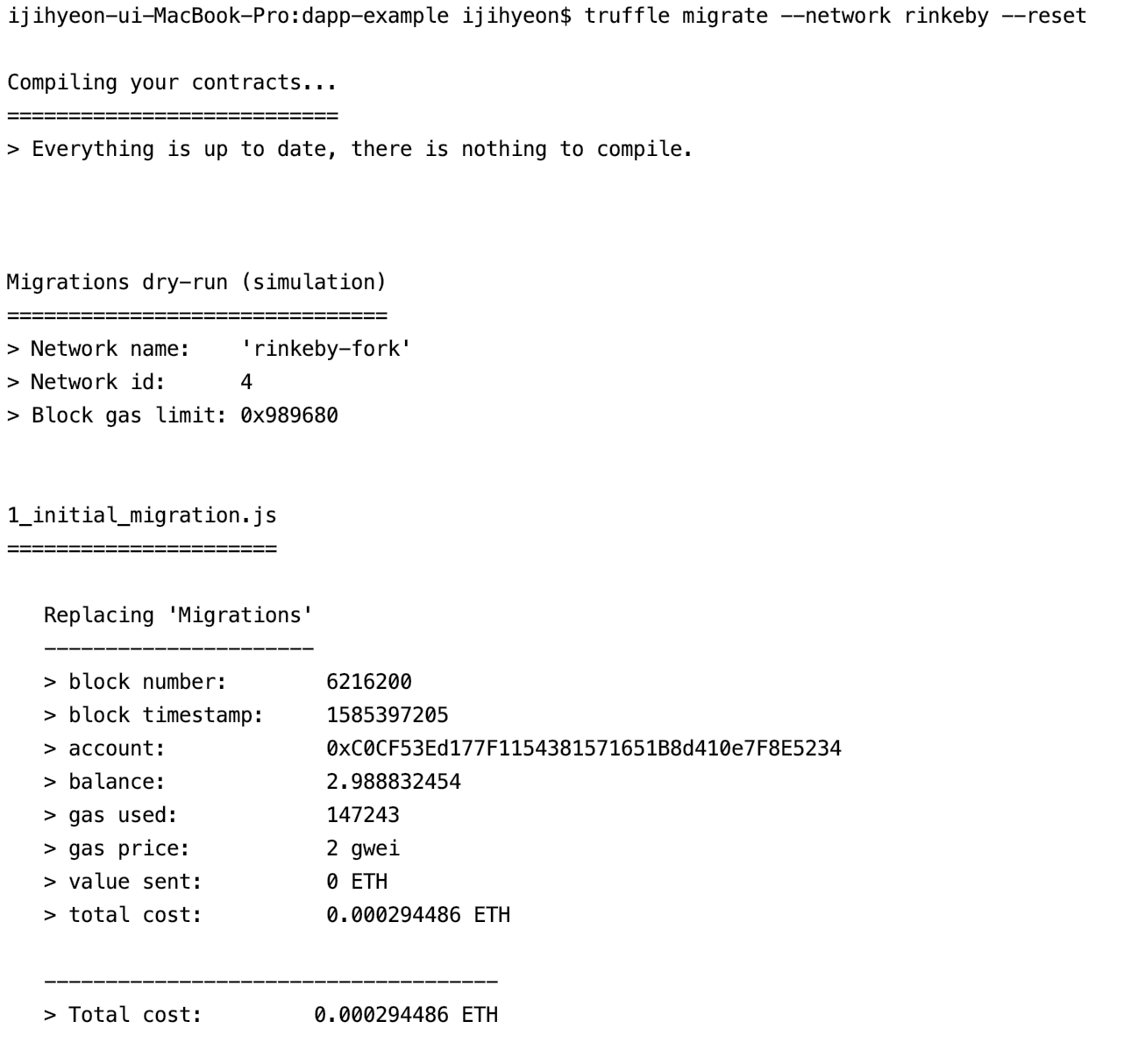
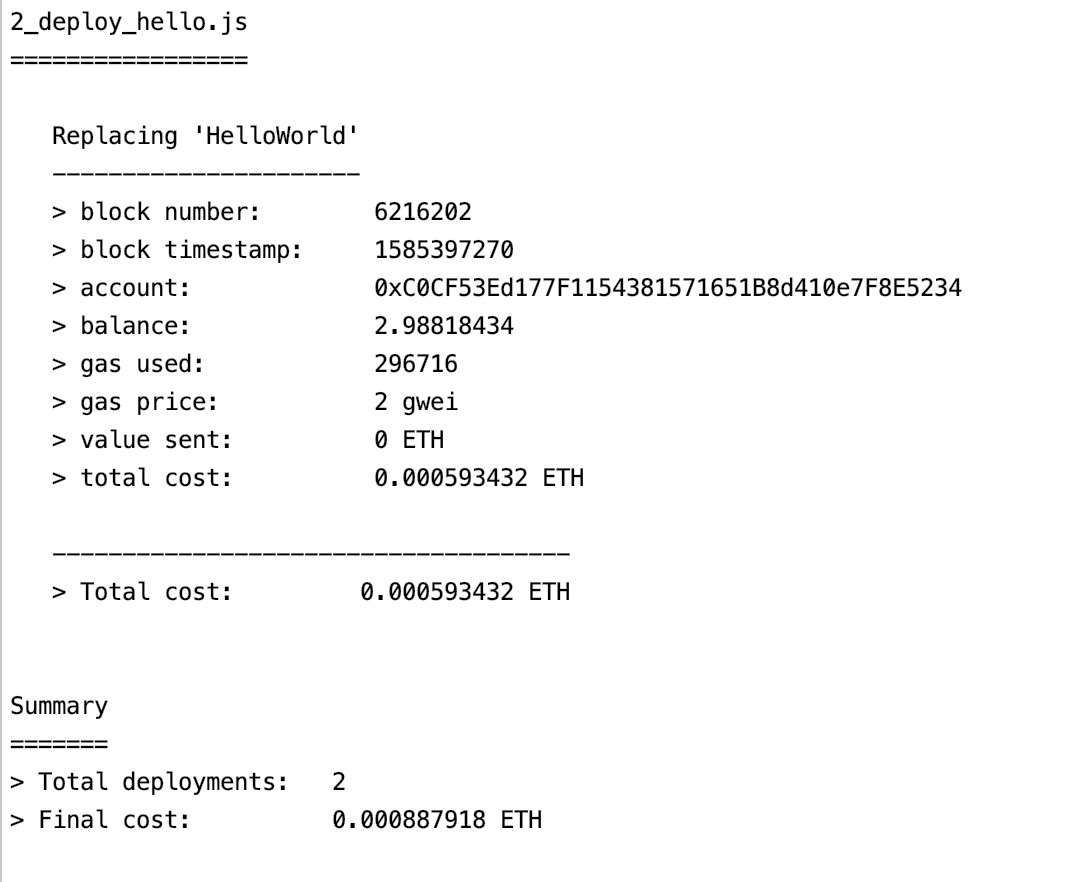
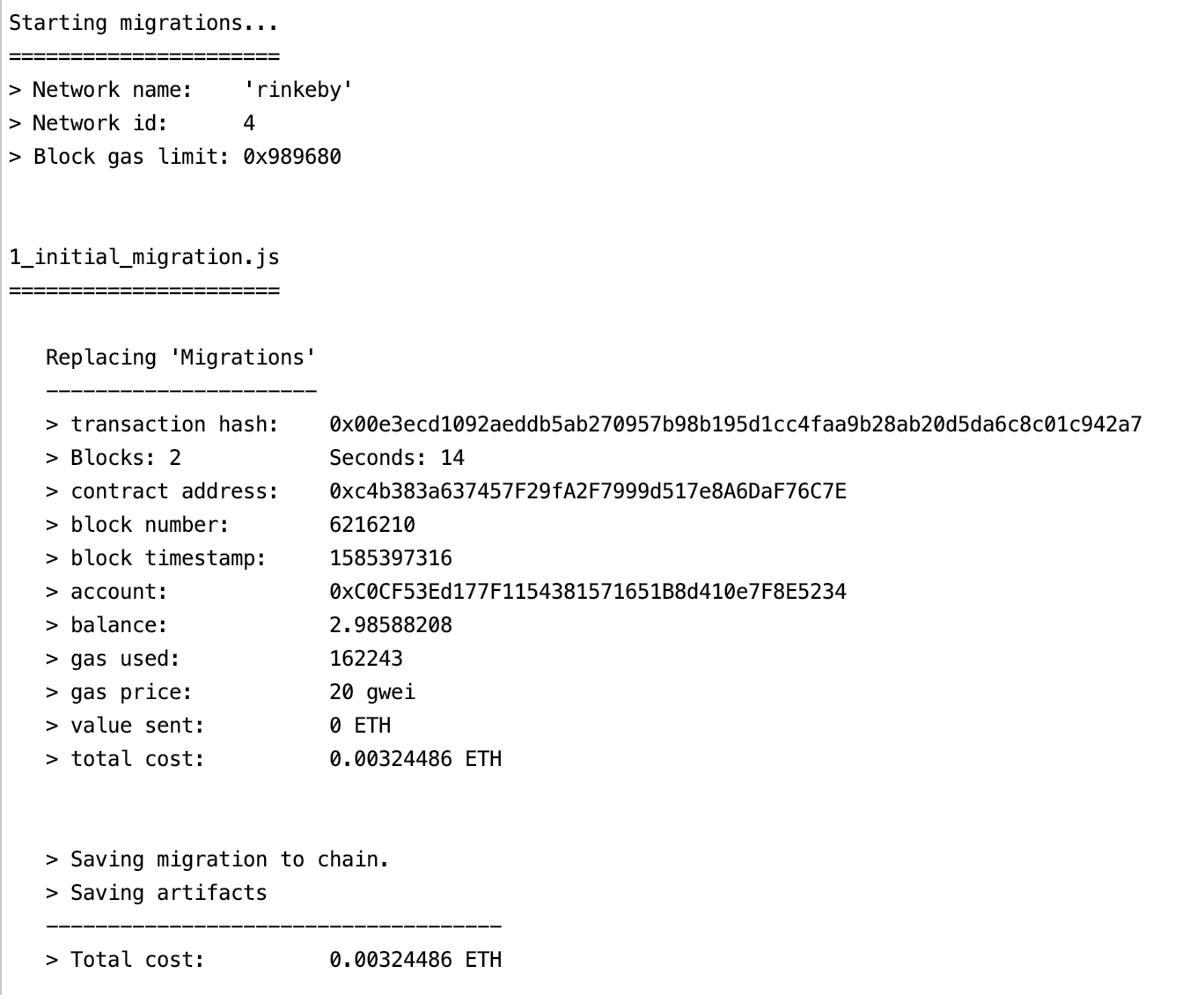
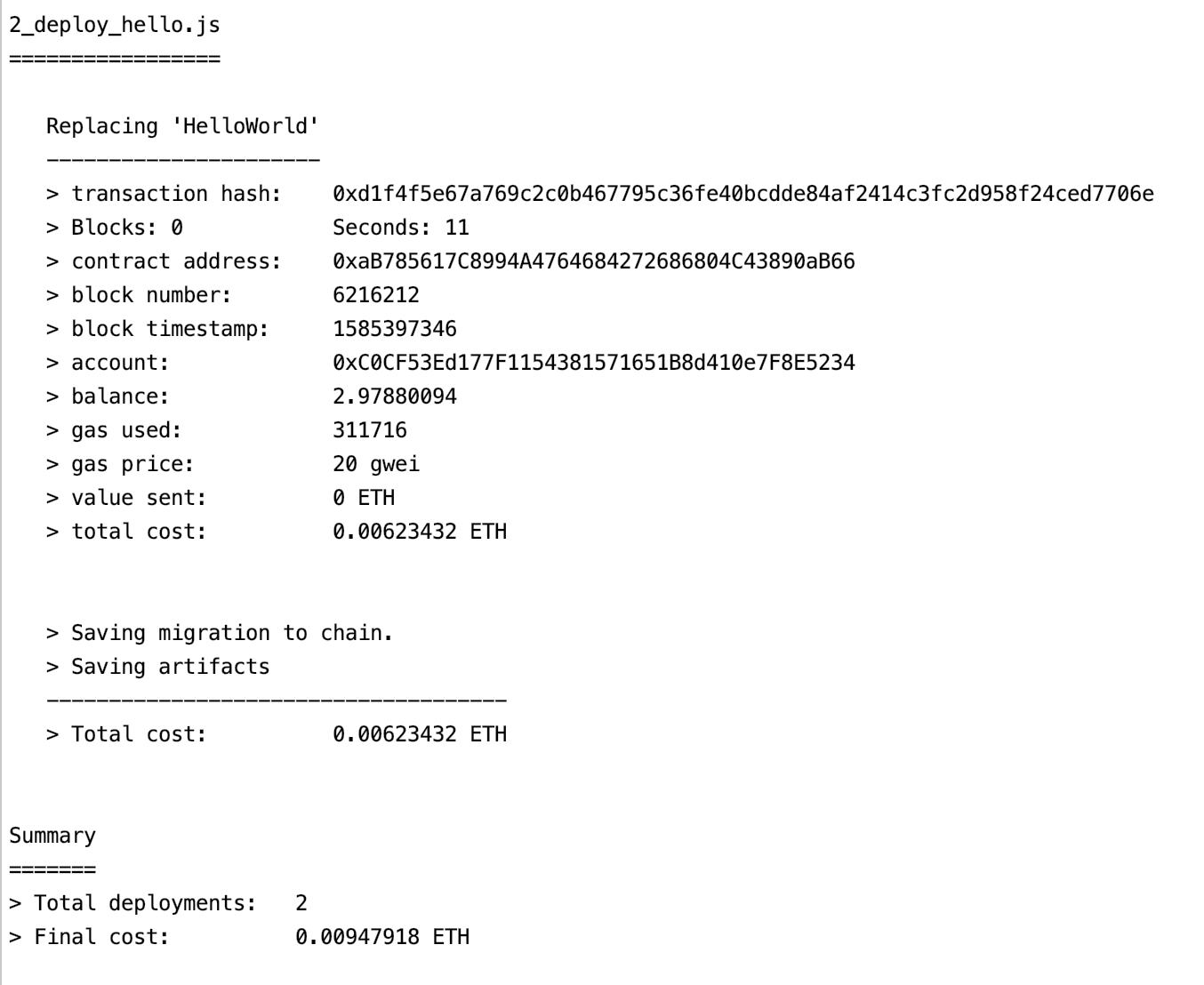
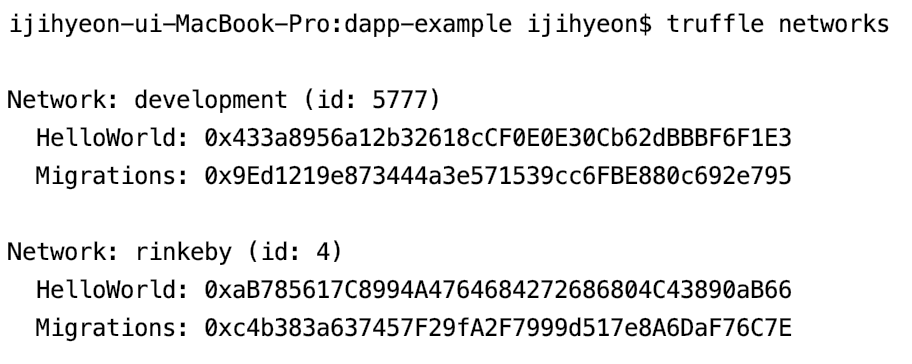
truffle networks 를 통해 로컬( Ganache )에 배포한 컨트랙트 주소와, Rinkeby에 배포한 컨트랙트 주소 확인 가능
< 단위 테스트 >
현재 실습 진행 상황 : 로컬 Ganache 와 Rinkeby에 배포 완료
배포된 컨트랙트의 메소드 실행해보기
truffle console : 각각 배포된 배포 타겟에 콘솔을 통해서 연결 가능 -> 콘솔을 통해 메소드 실행 가능
ex - truffle console –network development -> truffle( development ) : 로컬 Ganache 에 콘솔이 연결이 된 상태
ex - truffle console –network rinkeby -> truffle( rinkeby ) : Rinkeby 에 콘솔이 연결이 된 상태
콘솔로 연결을 한 후, 컨트랙트의 메소드 호출
ex - 1 ) 로컬 Ganache 에 연결 후, 컨트랙트의 인스턴스 가지고옴 ( Ganache에 배포된 컨트랙트 주소 사용 ), 메소드 호출

ex - 2 ) Rinkeby 에 연결 후, 컨트랙트의 인스턴스 가지고옴 ( Rinkeby에 배포된 컨트랙트 주소 사용 ), 메소드 호출

하지만, 메소드를 하나씩 실행하기에는 비효율적, 복잡한 메소드는 호출하기 힘듬 =» 단위테스트 사용
test 폴더 아래에 JavaScript 로 테스트 스크립트 작성
const helloWorld = artifacts.require("HelloWorld");

contract ("HelloWorld", function (accounts){

    before(async() => { // before 에서 instance 생성
        this.instance = await helloWorld.deployed();
    });

    // 단위테스트들 작성 : it() , 실행은 트러플로 : truffle test

    it("should be initialized with correct value",async() => { // before 에서 instance 생성

            const greeting = await this.instance.greeting();
            assert.equal(greeting,"Hello,World!","Wrong initialized value!")
              // assert.equal를 이용하여 greeting의 값과 "Hello,World!" 이 같은지 확인,
                 다를경우 "Wrong initialized value!" 메세지 보여줌

    });

    it("should change the greeting",async() => { // before 에서 instance 생성

            const val = "Hello, Blockchain!";

            await this.instance.setGreeting(val,{from: accounts[0]});
              // 상태변수를 바꾸는 트랜잭션이라 계정 필요 -> accounts 에서 가져옴
              // accounts : 가나슈에서 자동으로 생성한 10개의 주소, 배열형태
            const greeting = await this.instance.say();
            assert.equal(greeting,val,"does not changed the value!")

    });

});
- it()라는 함수를 호출하여 안에 테스트 로직 작성 ( it()를 여러개 호출하여 여러개의 단위테스트 실행 가능 )
- before()를 이용하여 단위테스트에서 참조하는 컨트랙트의 인스턴스 생성
단위테스트 실행 ( truffle test : test 디렉토리 아래의 모든 테스트 스크립트 실행 )
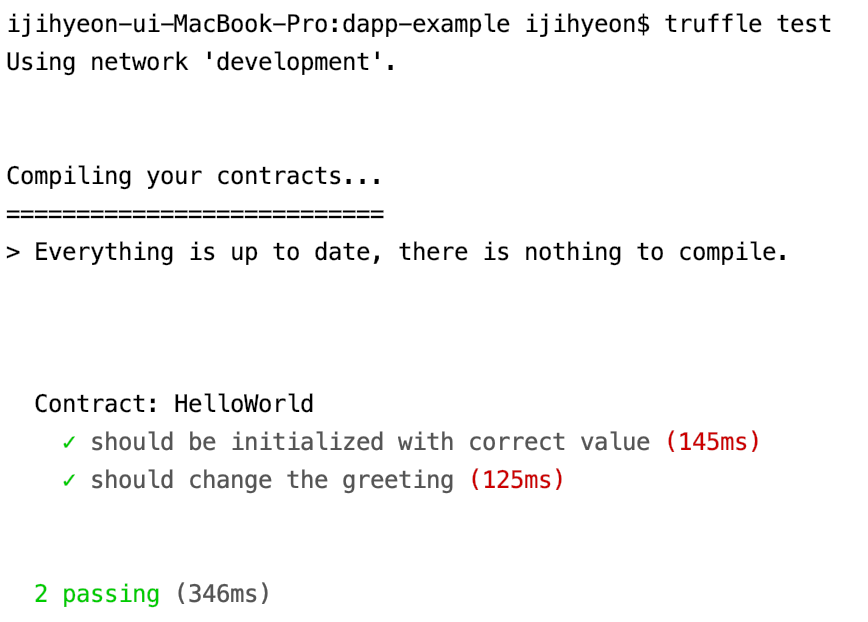
-> 성공!